
You’ve decided your business needs a website. Now somebody’s asking about page counts, booking systems, animations, customer portals and dozens of optional extras. You started by wanting people to understand your services and get in touch. Suddenly you’re looking at a quote that bears little resemblance to the original problem.
Most small business websites don’t need every feature a platform can offer. They need to explain the business clearly, answer customers’ questions, build confidence and provide an easy next step. The right scope depends on what you sell and how people buy it. I’ve built websites for many different types of businesses, and I’d rather start with that customer journey than a long list of fashionable features.
1. A clear explanation of what you do
Your homepage should make sense to somebody who’s never heard of you. Within a few moments, they should understand the service, the type of customer you help and where you operate. “Innovative solutions for modern businesses” tells them almost nothing.
Try this test: show the first screen of your homepage to somebody outside your business. Can they tell you what you sell and who it’s for? If not, improve the wording before spending money on design flourishes. A clear opening statement can save customers from hunting around to work out whether they’ve found the right company.
2. Pages for the services customers actually search for
A single services page can be enough when your offering is narrow. If you provide several distinct services, separate pages often make more sense. They give customers relevant information and provide search engines with a clearer subject for each page.
For example, an accountant could need different explanations for bookkeeping, payroll and tax support. A building contractor might separate extensions from repairs. Don’t create dozens of near-identical pages for every town or keyword. Plan around genuine differences in what customers want to know.
3. An obvious way to enquire, book or buy
Make the next action easy. That might be a phone number, a short contact form, an online appointment or a checkout. It should be obvious on mobile as well as desktop, especially after somebody has read an important service page.
Keep forms proportionate to the conversation. If you only need a name, email address and a brief description to begin, don’t demand a full project specification. Check where messages are delivered and who responds. A contact form that looks right but silently fails is worse than no form at all.
4. Enough evidence for customers to trust you
People are judging whether to spend money, share information or invite you to work on something important. Give them real reasons to feel comfortable. These might include relevant experience, a named contact, genuine customer reviews, project examples, trade credentials or photographs of work you’ve actually completed.
Don’t invent statistics or anonymous testimonials to fill a design. If you’re a new business without much evidence yet, say who you are and explain your process clearly. Honest information beats elaborate claims nobody can verify. A useful business website should make trust easier to establish.
5. A practical starting set of pages
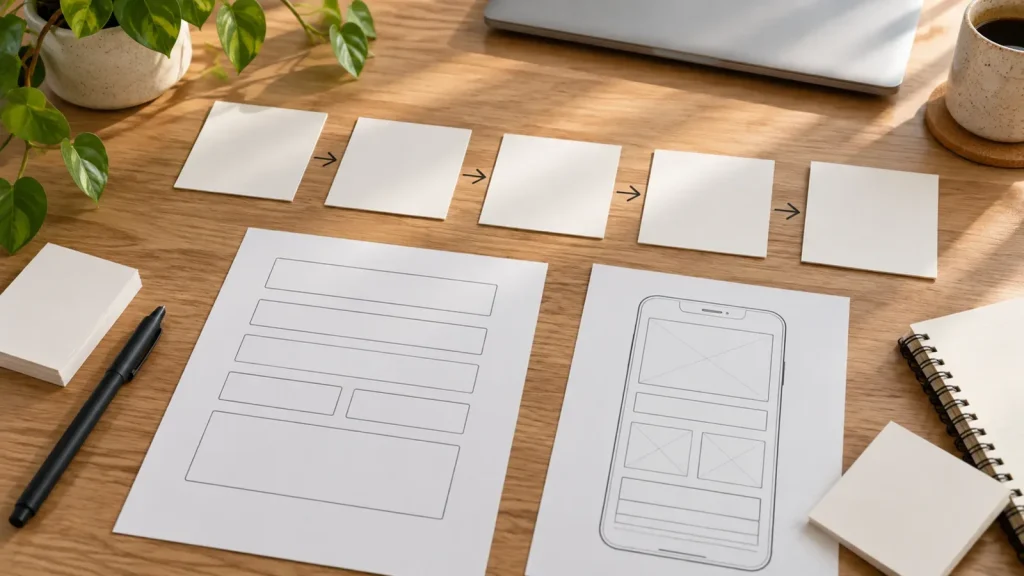
There’s no compulsory number, but a typical local service business might begin with:
- Home: who you help, what you offer and the main next step.
- Services: the work you provide, with separate pages where needed.
- About: who customers will deal with and why they can trust you.
- Work or evidence: genuine examples, reviews or relevant credentials.
- Contact: a simple way to enquire and essential business details.
Some businesses can combine these sections on fewer pages. Others genuinely need much more. Choose the structure to fit the business rather than buying a page-count package on autopilot.
6. Mobile layouts that people can actually use
Don’t judge a website only from a large desktop monitor. Customers may arrive on a phone while travelling or between jobs. They need readable text, easy navigation, buttons they can tap and forms that don’t fight them.
Ask your developer to test real page journeys on different screen widths. Can somebody find a service, check your details and send an enquiry without zooming or getting lost? That’s more important than whether the homepage has a sophisticated animation.
7. Search foundations built in from the start
A business website should use sensible page addresses, descriptive titles, clear headings and content that reflects the questions customers ask. Search engines also need to reach the pages you want indexed.
This doesn’t guarantee rankings. Competitive SEO takes more than launching a tidy website, and local search may also involve Google Business Profile. But you shouldn’t need to pay to correct basic structural mistakes immediately after launch. If you’re comparing offers, read my explanation of what SEO included in web design should mean.
8. Content you can update without breaking the site
Services change. Staff join. Opening hours and prices may need updating. Your website shouldn’t become unusable because you need to change a paragraph or replace a photograph.
Ask how everyday edits work and what training or instructions you’ll receive. A suitable content management system can let you change ordinary information while keeping layouts consistent. You don’t have to maintain everything yourself, but you should understand what’s possible and which changes need a developer.
9. The necessary business and compliance information
Depending on your business, you may need clear company details, privacy information, appropriate cookie controls, terms or legally required trading disclosures. Accessibility should be considered in how people navigate and use the website, not added as a decorative badge.
Requirements vary with what you do and which information you collect. Don’t assume a developer can provide legal advice or certify every compliance obligation. Agree who supplies and checks business policies. For personal-data handling, the Information Commissioner’s Office provides UK guidance worth consulting.
10. Features that can probably wait
Custom calculators, client portals, multilingual sites and elaborate integrations can be valuable, but only when there’s a convincing business need. Adding them before you understand customer demand increases cost, testing and ongoing maintenance.
Ask of each proposed feature: Which customer problem does this solve? What happens if we launch without it? Could a simpler tool achieve the same result? If you can’t answer those questions, keep it out of the first scope. My website costs guide explains why complexity has such a large effect on budget.
Build the website your customers need first
A good small business website isn’t measured by how many pages or features it contains. It’s measured by whether customers understand the offer, trust what they’re seeing and can take action. Get those essentials right, then expand when the business has a reason to.
If you’re planning a new site and want to avoid paying for unnecessary features, book a call. Tell me what the business needs to achieve and I’ll help define a sensible starting scope before any development is quoted.