
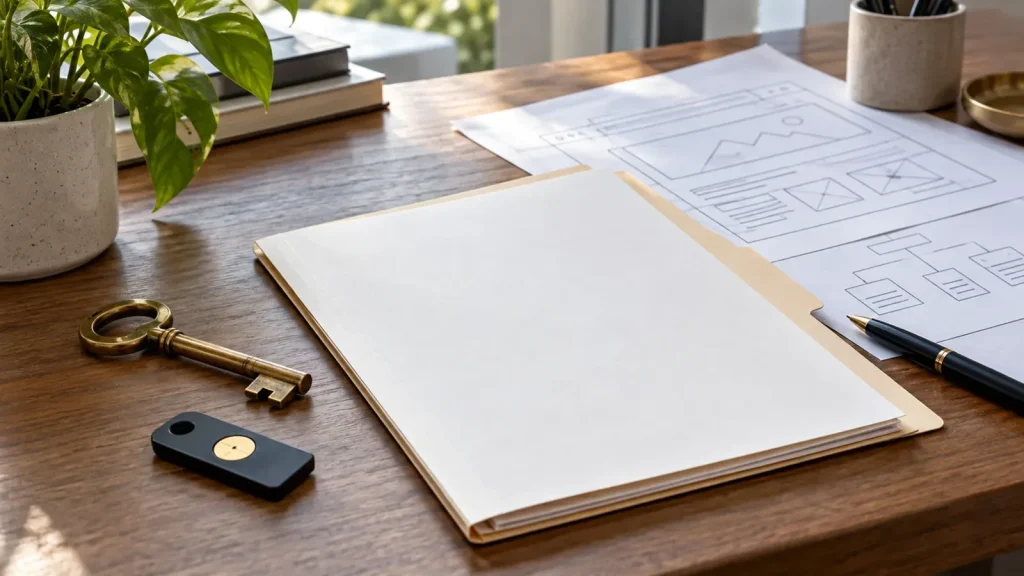
You’ve paid for a website, it’s online and customers can see it. So it’s yours, isn’t it? Usually you own some important parts of the arrangement, but not necessarily everything. That distinction becomes painfully relevant when you want to change developer, move hosting or discover the person who built it controls your domain account.
Before commissioning a website, establish who controls the domain, hosting, content, design and software. Paying an invoice doesn’t automatically transfer every right or account into your name. I’ve taken over enough website projects to know that unclear ownership can turn a simple change of supplier into weeks of unnecessary frustration. Here’s what I’d want settled in writing.
1. Who owns your domain name?
Your domain is the address customers use to find you. It should be registered through an account your business can access, with up-to-date contact details and a clear process for renewal. You don’t need to understand every domain setting, but you do need to know where it’s managed.
If the developer registered it for you, ask whether the registrant details identify the correct business and how you can access the account or transfer control. Losing access to the domain can disrupt the website and business email. That risk matters far more than which colour scheme was chosen for the homepage.
2. What does owning a website actually mean?
People often use “own the website” to mean several different things. You might own the written content and photos you’ve supplied, have a contractual right to use the design, pay for a licence to a theme and rent server space from a hosting provider.
Those arrangements can coexist without a problem. Trouble starts when nobody explains them. Ask for a breakdown of what belongs to you, what belongs to third parties and what you can take away if the working relationship ends. It’s one of the questions I recommend before hiring a web developer.
3. Does paying for the design give you copyright?
Not automatically. Under UK guidance, when you commission a copyright work, the creator will generally be its first copyright owner unless ownership is agreed otherwise in writing. The UK Intellectual Property Office explains why commissioning contracts should address copyright directly.
That doesn’t mean a developer can simply take away a finished business website at will. Licences and contractual terms matter. The practical step is to agree which custom assets and code are assigned or licensed to you, what uses are permitted and what happens on termination. For a substantial project, have the wording checked by an appropriate legal adviser.
4. Who owns the words, photos and branding?
If you’ve supplied original photographs, logos and text, keep the source files and records of any licences. If the agency sourced stock photography or licensed fonts, ask what you’re entitled to keep using and whether there are ongoing costs.
AI-generated materials create extra questions around source rights, tool terms and brand accuracy. Don’t assume an image is safe for every commercial use just because a tool produced it. Whatever the source, you’ll want a simple inventory so that your business can update the site later without guessing which assets it may use.

5. Can you move the website to another host?
With a conventional, portable website, moving hosting may be relatively straightforward, although it still requires care. With a proprietary builder, you might only be able to move your domain and some content, then recreate the website elsewhere.
Ask before you sign:
- Can the website files and database be exported?
- Are any features tied to the current hosting provider?
- Which licences or subscriptions are required to keep it working?
- Can another developer maintain and update it?
- Who provides a backup or export if the agreement ends?
Moving platforms may also affect important URLs and search visibility, so portability isn’t only a technical concern.
6. Who controls WordPress and other important accounts?
Your business should know who has administrator access to the website, who pays for hosting and how critical services are managed. Contact forms, email delivery, analytics, booking tools and payment providers may all have separate accounts.
I’m not suggesting every owner needs full administrator access to every system every day. Some permissions should be limited for security. But ownership, account recovery and the ability to change suppliers should be documented. Shared personal logins and passwords passed around by email are poor substitutes for a clear access policy.
7. What happens if a developer stops trading or disappears?
This is the question nobody wants to ask during a friendly sales conversation. Yet the answer could determine whether you can update the site next month or spend money rebuilding something that was already paid for.
Keep a record of the domain registrar, hosting company, account owners, major licences and where backups are held. Establish what happens if support ends, payments stop or you give notice. A developer who welcomes those questions is helping you protect the business, not questioning your loyalty.
8. Does a monthly website fee mean you never own it?
Not necessarily. A recurring fee may cover hosting, maintenance, software licences, managed support or the website itself under a rental-style agreement. These are very different arrangements, and none is automatically wrong.
Ask what happens when you cancel. Does the website keep running? Can you export it? Do you lose access to a licensed design or subscription feature? My guide to website maintenance costs helps explain recurring support charges, but a site rental agreement needs its own scrutiny.
9. How should ownership appear in your agreement?
You don’t need a fifty-page contract for a straightforward brochure website, but you do need clear written terms. Include the parties, scope, payment stages, ownership of supplied materials, licences, accounts, deliverables and arrangements at handover or termination.
Be specific about custom functionality. If you’ve paid for a feature built for your business, you should understand whether you can reuse, modify or commission another developer to maintain it. If a supplier uses reusable code that remains theirs, make sure the licence still allows the website to function as agreed.
10. Your website ownership checklist
Before you pay the final balance, check these points:
- Your business can identify and recover the domain account.
- Hosting, platform and renewal arrangements are documented.
- Website administration and key service accounts are understood.
- Copyright, licences and permitted use are agreed in writing.
- Backups, exports and supplier-exit arrangements are clear.
- You’ll know who to contact for support after launch.
If any answer is vague, resolve it now. It’s usually easier before the project closes than when you’re trying to move urgently.
Keep control without becoming your own IT department
Owning and controlling the right parts of your website doesn’t mean you have to manage servers or software yourself. You can still have a developer provide ongoing WordPress support. The point is to make that a choice rather than a dependency you never agreed to.
If you’re commissioning a website or trying to understand what an existing supplier controls, book a call. I’ll help you clarify the technical questions to raise and what a sensible handover should cover. For legal ownership disputes, you’ll still need a qualified legal adviser.